Enhance Teamwork & Communication for Your Rodeo
Your rodeo’s success comes down to successful teamwork and communication with your rodeo committee, staff, and volunteers. Whether you’re hiring contract personnel, finding a specialty act, helping sponsors, or training volunteers – good teamwork starts with good communication:
- Be Specific
- Take Notes
- Create Clear Ownership & Responsibility
- Set Deadlines
- Follow Up
- Thank Your Team
Be Specific
Whenever you’re assigning a task, be specific about what you want to accomplish. Share all of the important details necessary to complete the task and any expectations on the results.
For example, if you’re asking a committee member to find and hire a new specialty act, give them the following information:
- Who is in your stands that night? (What ages should the specialty act appeal to? What kinds of specialty acts usually do well at your rodeo?)
- What is the budget?
- Within what distance from your rodeo should you find a specialty act? (How much are you expecting your act to travel for your rodeo?)
- What is your capacity for hosting a specialty act – animals, gear, etc.?
- Do you want to be involved in vetting the top two or three options before making a final decision?
When you give your team all of this information, they’ll be able to complete the task and get the details right.
If you’re being assigned a task, ask a lot of questions about what your committee is looking for with the task to make sure you understand all of the details. Rephrase and repeat back the instructions to ensure you’re understanding correctly.
Take Notes
People often forget details, so take note of important details. If you’re assigning tasks to your team, then it’s smart to send a follow-up email that includes the details from your conversation. This follow-up email is a helpful reference for your team as they work on their responsibilities.
When you’re writing the email, make it easy to skim through by using bullet points and bolding important text. Do your best to keep the email short and succinct because people don’t usually read through long emails.
If you’ve been assigned a task, take notes on everything you need to do and all of the details necessary.
Create Clear Ownership & Responsibility
Be as specific about who’s responsible for a task as you are about the details. Creating clear assignments eliminates who’s responsible for the outcome of the task. You’ll keep two people from doing the same task unnecessarily, and everyone will know who to ask about what task.
If you’re in a meeting and a task has an unclear assignment, ask the rodeo committee president who they’d like to take the lead on that responsibility or ask if they’d like you to follow up on that task.
Set Deadlines
You’ll also want to have clear timelines for each of your tasks. Deadlines and timelines will vary – and they may even change part way through it as circumstances change.
You’ll want to have regular communication with your team so that you can get updates from them on where they are on tasks and share updates with them about any changes that arise.
Follow Up
Once you’ve assigned tasks, check in with each of your team members individually on where they are with their responsibilities. These check ins and follow ups will help your team get the priorities taken care of and give you a chance to help resolve concerns. And, you’ll be able to keep things from being done late.
If a task was supposed to be finished already and it’s overdue, follow up with your team member so they can get it done quickly.
Thank Your Team
Regularly thank your team for the work they’re doing to organize your rodeo and make it a success. Showing gratitude and being willing to help will help you build trust with your team and build good relationships.
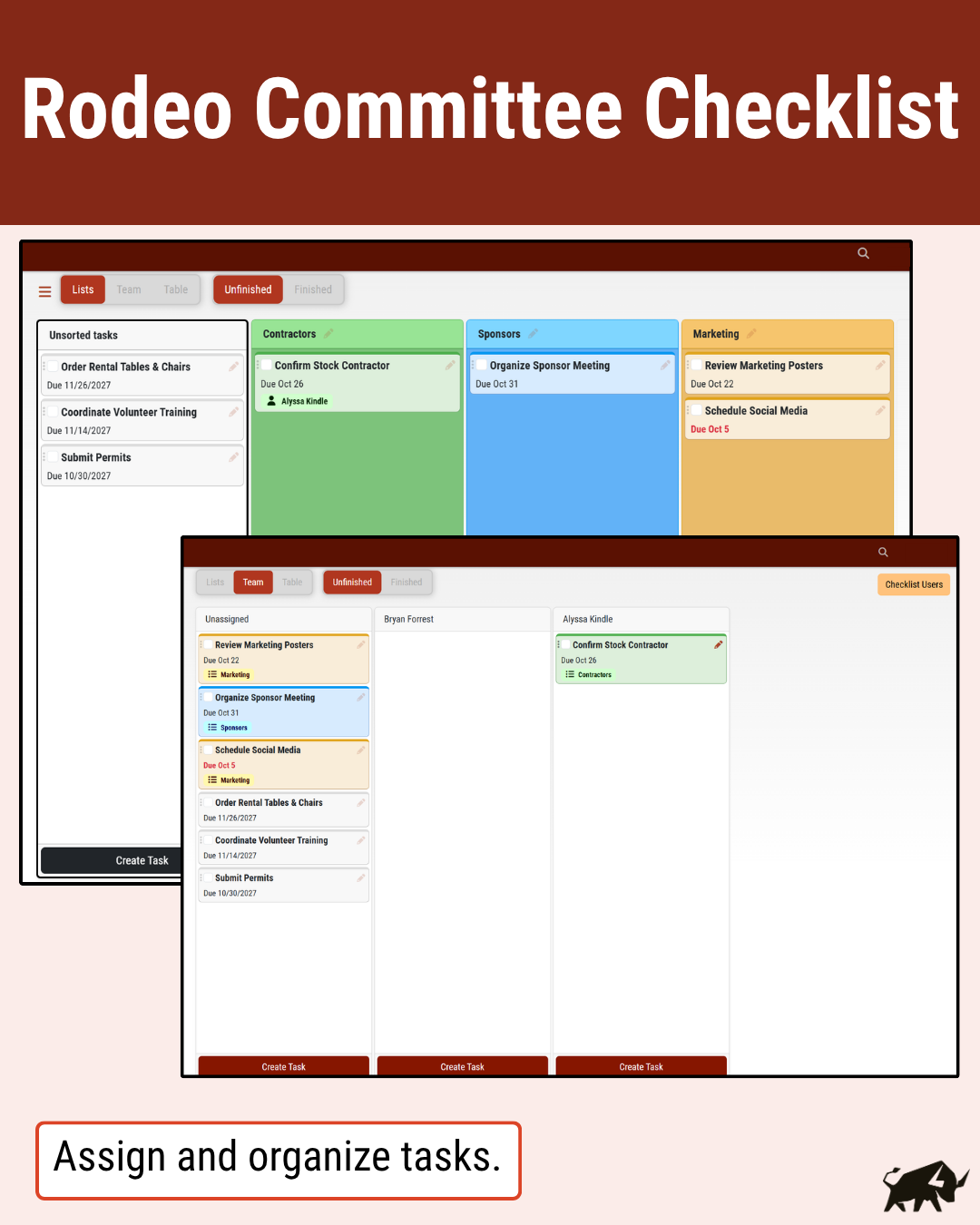
Rodeo Committee Checklist Software
Leading companies use project management software to keep track of progress, priority, and responsibility. Rodeo Ticket created its Checklist project management feature for rodeo committees. With these tools, you can:
- Create Lists & Organize Tasks – Create lists for each person on your committee and lists to categorize tasks as you’d like.
- Add Task Details & Make Assignments – Add notes and important details to tasks before assigning them to your committee members.
- Copy & Update Similar Tasks Year to Year – Save time and get all the details by copying similar tasks from last year to this year.
- Set Deadlines & Automate Email Reminders – Set custom deadlines for tasks and schedule reminder emails to help your team remember to finish each task.
With a customizable, single checklist for your rodeo committee, it’ll be easier than ever to keep timelines and get everything done to ensure your rodeo’s success.